Free Discord bot · welcome · roles · logs · tickets
Welcome, roles, logs and support — one bot does it all.
Ravenkeep welcomes new members, hands out roles, logs everything and answers support in private ticket channels — the everyday jobs of running a server, done for you. Set it up in minutes on a website, free for every server.
- Free for every server
- Never asks for Administrator
- No commands to learn
Welcome messages & cards
New members join to silence — and quietly leave
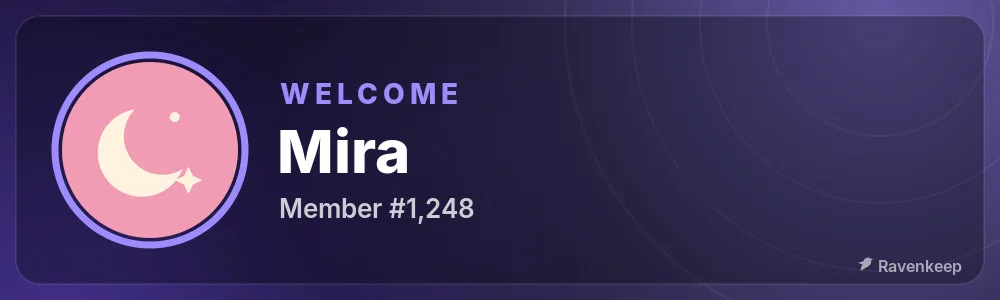
First impressions decide who stays. Ravenkeep greets every newcomer by name with a picture card of their avatar and member number, in your channel and in their DMs if you like. And it says goodbye when someone leaves.
- Welcome cards: 6 backgrounds free, or your own picture and colours with Premium
- Write your own message — names, server name and member count fill in by themselves
- Raid-safe: a wave of joins becomes one calm message, not a flood of pings
Role panels & auto-roles
Still giving out roles by hand, one member at a time?
Let members pick their own — colours, games, pings, regions. Post a panel with buttons, a dropdown or emoji reactions, and Ravenkeep gives and takes roles instantly, day and night. Newcomers can get a starter role automatically.
- Buttons, a dropdown or reactions — even on a message you already posted
- Toggle, only one (e.g. colours) or verify (“I accept the rules”)
- Never hands out admin or moderator roles — checked on every click
Server logs
A message got deleted — and nobody knows what it said
Ravenkeep keeps a clean record of your server: deleted and edited messages with the original text, joins and leaves, bans, kicks, role and nickname changes. When there's drama, you have the facts — who, what and when.
- Deleted and edited messages with the before and after — even across bot restarts
- Bans, kicks and timeouts with the moderator and the reason
- All 20 event types free; you choose which ones and where they go
Support tickets
Help requests getting lost in busy chat?
One button gives the member a private channel with your staff. The whole conversation stays in one place, nobody else can read it, and when it's closed you get a full transcript.
- An “Open ticket” button, with optional questions to answer first
- Numbered private channels only the member and your staff can see
- Claim, add people, close with a reason — the transcript goes to your staff and to the member
Web dashboard
Tired of remembering bot commands?
Set everything up on a clear website instead. Pick channels and roles from lists, write messages with a live preview, and see straight away if something won't work — and how to fix it.
- Log in with Discord — only the server's owner and admins can change its settings
- A live preview of every message, card and panel before it goes out
- Checks Ravenkeep's permissions for you and explains any problem in plain words
Set up in 3 steps
Invite
Click Add to Discord and pick your server. Ravenkeep asks only for the permissions it uses.
Pick what you need
Log in to the dashboard with Discord and switch on welcomes, roles, logs or tickets.
Done
Ravenkeep starts right away — and tells you in plain words if something needs fixing.
Free for every server. Premium when you need more.
Premium (per server, $4.99 USD Free — your first month, then $4.99 USD / month) adds higher limits, a log channel per event, your own welcome card design, and 30 days of message history for logs.
Questions
Is Ravenkeep free?
Yes. Welcome messages and cards, role panels, logging for all 20 event types and support tickets are free for every server. Premium ($4.99 USD / month per server) raises the limits and adds extras — see Pricing.
Does it need Administrator?
No. Ravenkeep asks only for the permissions it uses — for example Manage Channels to create ticket channels, Manage Roles to give roles, Manage Webhooks to post logs and View Audit Log to see who did something. It never gives anyone admin or moderator roles.
Is my data safe?
Ravenkeep stores only what its features need. Message text kept for your logs is encrypted and deleted after 24 hours (30 days with Premium). You can erase your server's data any time with /data delete, and it's deleted automatically 30 days after Ravenkeep leaves your server. Details in the Privacy Policy.
What if Ravenkeep goes offline for a moment?
It catches up when it's back: messages deleted or edited meanwhile are still logged, and roles are put right.